

Sale!

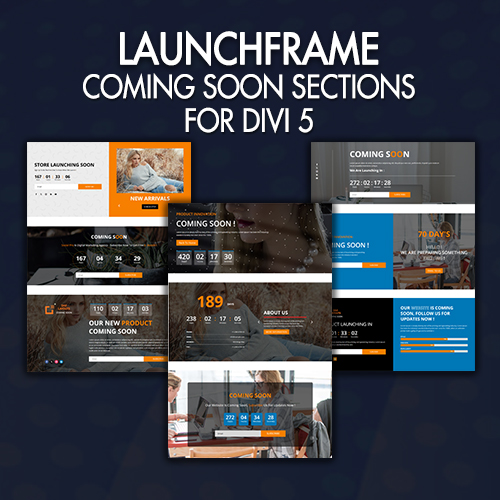
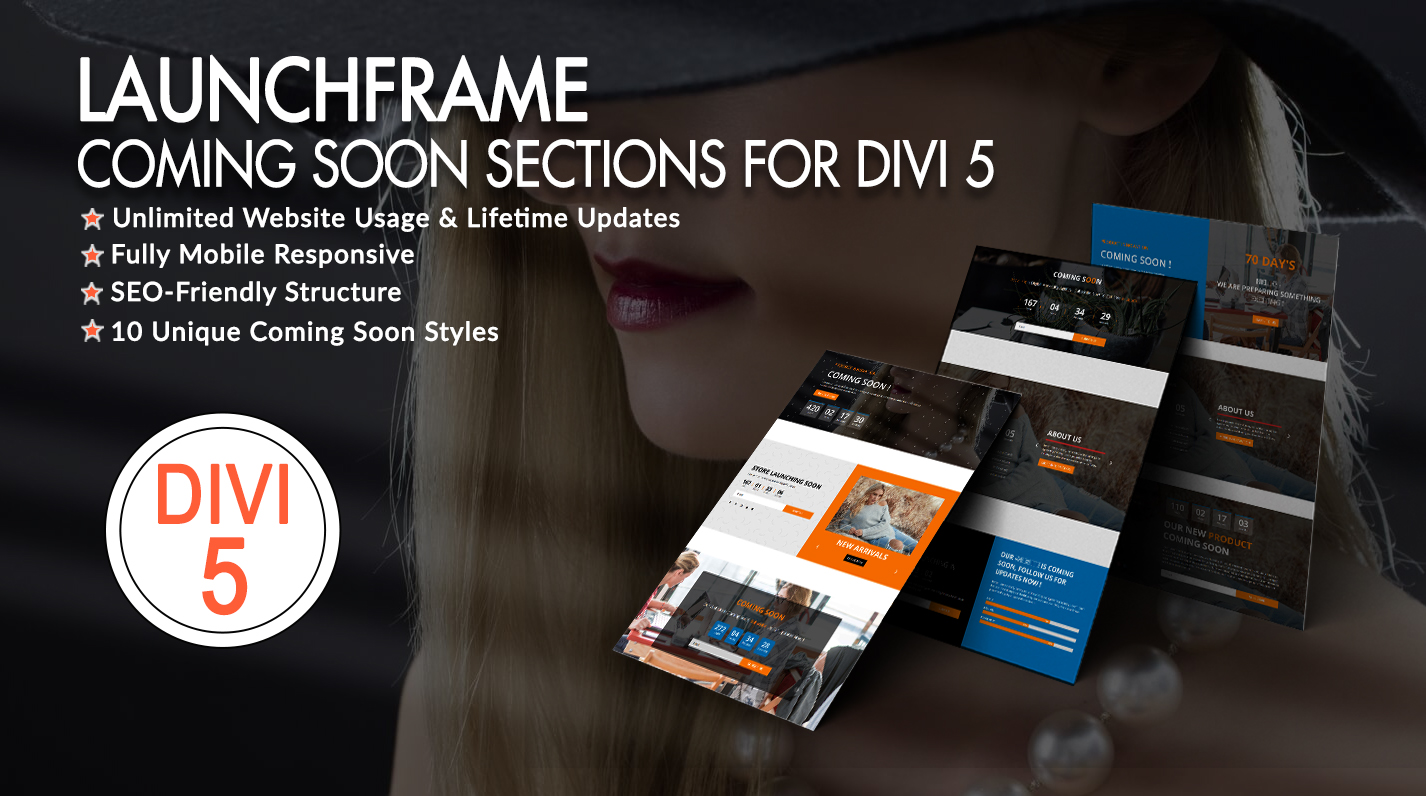
LAUNCHFRAME – COMING SOON SECTIONS FOR DIVI 5

Original price was: $19.99.Current price is: $0.00.

LAUNCHFRAME – COMING SOON SECTIONS FOR DIVI 5

Your Website Isn’t Ready Yet. Your First Impression Can Be.

LAUNCHFRAME is a collection of professionally crafted Coming Soon Sections and Modules designed for Divi 5 websites.

Forget generic “ under construction or coming soon ” pages. Every launch deserves a design that reflects the business behind it.

From a product waiting to be revealed to a creative web agency preparing its next big launch, LAUNCHFRAME gives you purpose-built pre-launch designs that help you create anticipation, communicate your message, and keep your brand looking professional before your website officially goes live.

Niche First Coming Soon Modules or Sections For Divi 5

LAUNCHFRAME takes a different approach to traditional coming soon templates.

Instead of simply changing colors and backgrounds, the collection is designed around specific business concepts and use cases .

Product Highlights :

Get 10 Coming Soon Style Section In Just $10 ( For Free During Exclusive Back Friday 2026 Sale )

– 10 Individual Coming Soon JSON Files
– Divi 5 Ready
– Complete Divi Library JSON File ‘ All_Style ‘ containing all 10 styles
– Installation Guide
– Lifetime Product Updates
– Dedicated Customer Support

Files With The Product :

1. Product_Files – Core Product Assets : Within this primary folder, you will find:

A.” All_Styles_Library ” JSON that will include all styles JSON in one file that you can import in ‘ Divi Library ‘ .

B.license.txt : Essential documentation regarding your usage rights.

2. Supplementary Documentation : This secondary folder provides:
A. All Version Section ‘ JSON ‘ files – 1 For Each Styles ( you can use this if you want to add ‘ section ‘ on existing page or new page )

B. Installation guide

C. We have provided ‘ All_Variables ‘ file which is available under supplementary folder to apply global setting across the layout and is mandatory if you want apply variables like Color setting, Font family, Font size , Text, Images, Links, Gradients, etc as per our demo

If ‘ All_Variable ‘ is not provided can skip this step
Go to Variable Manager -> Click on Variables -> Import -> Import Your File

View Demo

Installation Guide

FAQ

Description

LAUNCHFRAME – COMING SOON SECTIONS FOR DIVI 5

Your Website Isn’t Ready Yet. Your First Impression Can Be.

LAUNCHFRAME is a collection of professionally crafted Coming Soon Sections and Modules designed for Divi 5 websites.

Forget generic “ under construction or coming soon ” pages. Every launch deserves a design that reflects the business behind it.

From a product waiting to be revealed to a creative web agency preparing its next big launch, LAUNCHFRAME gives you purpose-built pre-launch designs that help you create anticipation, communicate your message, and keep your brand looking professional before your website officially goes live.

Niche First Coming Soon Modules or Sections For Divi 5

LAUNCHFRAME takes a different approach to traditional coming soon templates.

Instead of simply changing colors and backgrounds, the collection is designed around specific business concepts and use cases .

Product Highlights :

Get 10 Coming Soon Style Section In Just $10 ( For Free During Exclusive Back Friday 2026 Sale )

– 10 Individual Coming Soon JSON Files
– Divi 5 Ready
– Complete Divi Library JSON File ‘ All_Style ‘ containing all 10 styles
– Installation Guide
– Lifetime Product Updates
– Dedicated Customer Support

Files With The Product :

1. Product_Files – Core Product Assets : Within this primary folder, you will find:
A.” All_Styles_Library ” JSON that will include all styles JSON in one file that you can import in ‘ Divi Library ‘ .

B.license.txt : Essential documentation regarding your usage rights.

2. Supplementary Documentation : This secondary folder provides:
A. All Version Section ‘ JSON ‘ files – 1 For Each Styles ( you can use this if you want to add ‘ section ‘ on existing page or new page )

B. Installation guide

C. We have provided ‘ All_Variables ‘ file which is available under supplementary folder to apply global setting across the layout and is mandatory if you want apply variables like Color setting, Font family, Font size , Text, Images, Links, Gradients, etc as per our demo

If ‘ All_Variable ‘ is not provided can skip this step
Go to Variable Manager -> Click on Variables -> Import -> Import Your File
Term Of Sale

Term Of Sale

1. For product support you can directly contact us via Ticket Support System available in our website(No Direct Emails)

2. We provide 20 days of direct product support – Support is provided for bug fixes only. If you need customization support you will have to pay our hourly rate ($50 per hour)
Please note, If you bought a product from our store at ‘SALE’ price Support will be provided strictly for bug fixes only.

3. DiviThemeCenter is not responsible for any conflicts due to WordPress updates, Divi updates or third party plugin updates.

4. Product once purchased will not be refunded.

Server Requirements

Server Requirements

Tested Up to
Divi : Version: 4.4.5
Wordpress : Version 5.4.1
Requirements of PHP and MYSQL Version : https://wordpress.org/about/requirements/